Language
 Signfold
Your PDFs.
On your device.
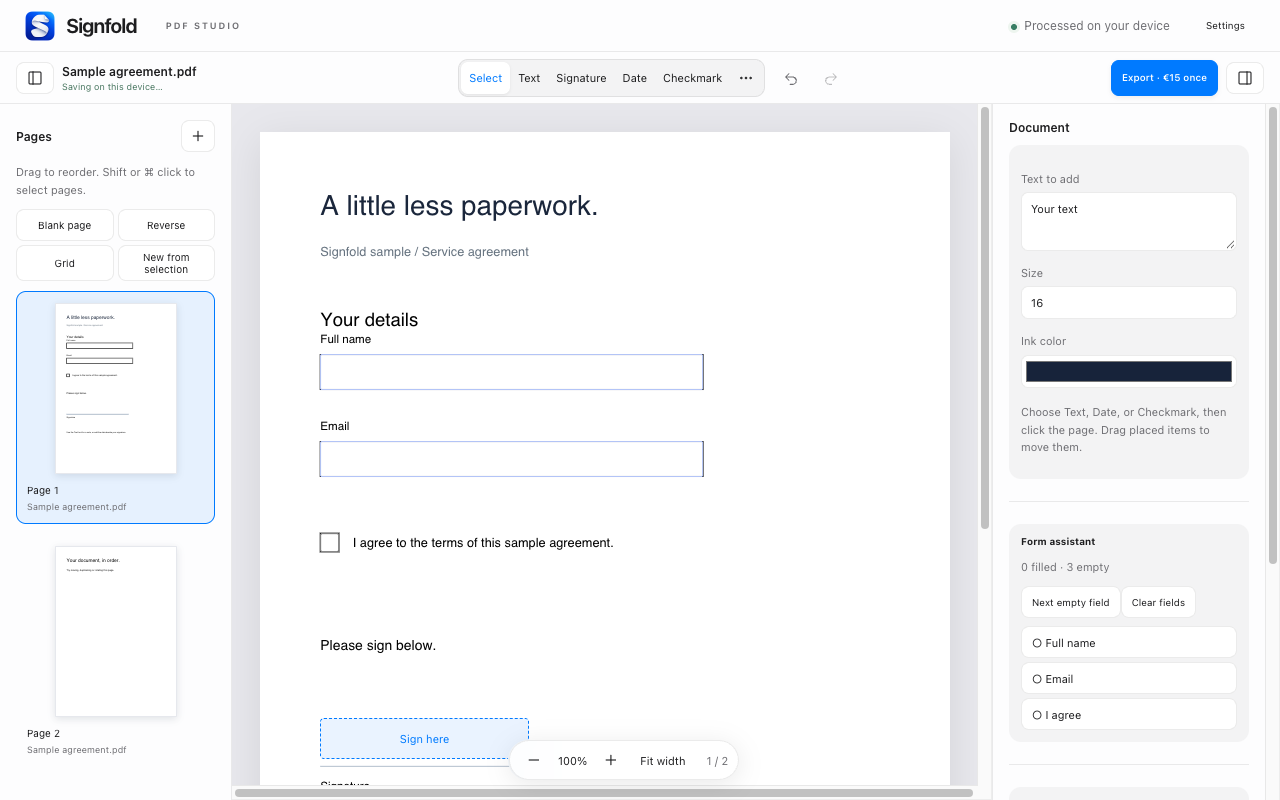
Convert to Word, merge files, compress supported images and make scans searchable. Fill and sign documents in the same Chrome extension.
Three free quick-tool downloads per local calendar day, shared across all tools.
Pro: unlimited quick tools and studio export for €15 once, up to 3 devices. Including applicable tax. No subscription.
Quick tools
Choose the output you need.
Convert
Export a text PDF as editable Word (DOCX), plain text, Markdown or page images. Complex layouts may shift. Scanned pages remain images in Word unless you choose OCR.
Merge, split and rotate
Combine PDFs in your chosen order, extract page ranges, split into separate files or rotate selected pages. Supported form fields remain editable.
Compress
Reduce supported document images and compare sizes before downloading. If the result is not smaller, keep the original. Savings depend on the file.
Local OCR
Make scans searchable with 50 OCR models covering the 54 interface locales while preserving the page appearance. Check recognized text for mistakes. Before the first language-data download, Signfold shows the size and jsDelivr source and asks for consent. Data is verified with a pinned SHA-256 hash and cached locally; cached data is checked again before use. OCR code and WASM are bundled with the extension.
Open a web PDF
Right-click a PDF link or opt in to automatic PDF-link handling. Website access is optional. For each PDF URL, Signfold shows the hostname and waits for your explicit Open action, even if website permission was already granted. You can choose the browser viewer or Cancel. Downloads omit cookies and do not follow redirects.
One shared allowance
Merge, split, rotate, compression, conversion and OCR share three free downloads per local calendar day. Pro provides unlimited quick-tool downloads and studio export for €15 once, for up to three devices.
Read about local storage, OCR downloads and optional website access →
PDF processing stays on your computer.
Forms, signatures and pages together.
Unlimited quick tools and studio export for €15 once, including applicable tax.
A document, finished
From empty fields to the final copy.
Fill supported form fields or add text to the page. Draw, type or upload a signature, then position and resize it.
Add dates, checkmarks, highlights, images and notes while you work. Undo a change whenever you need to.
How to fill and sign →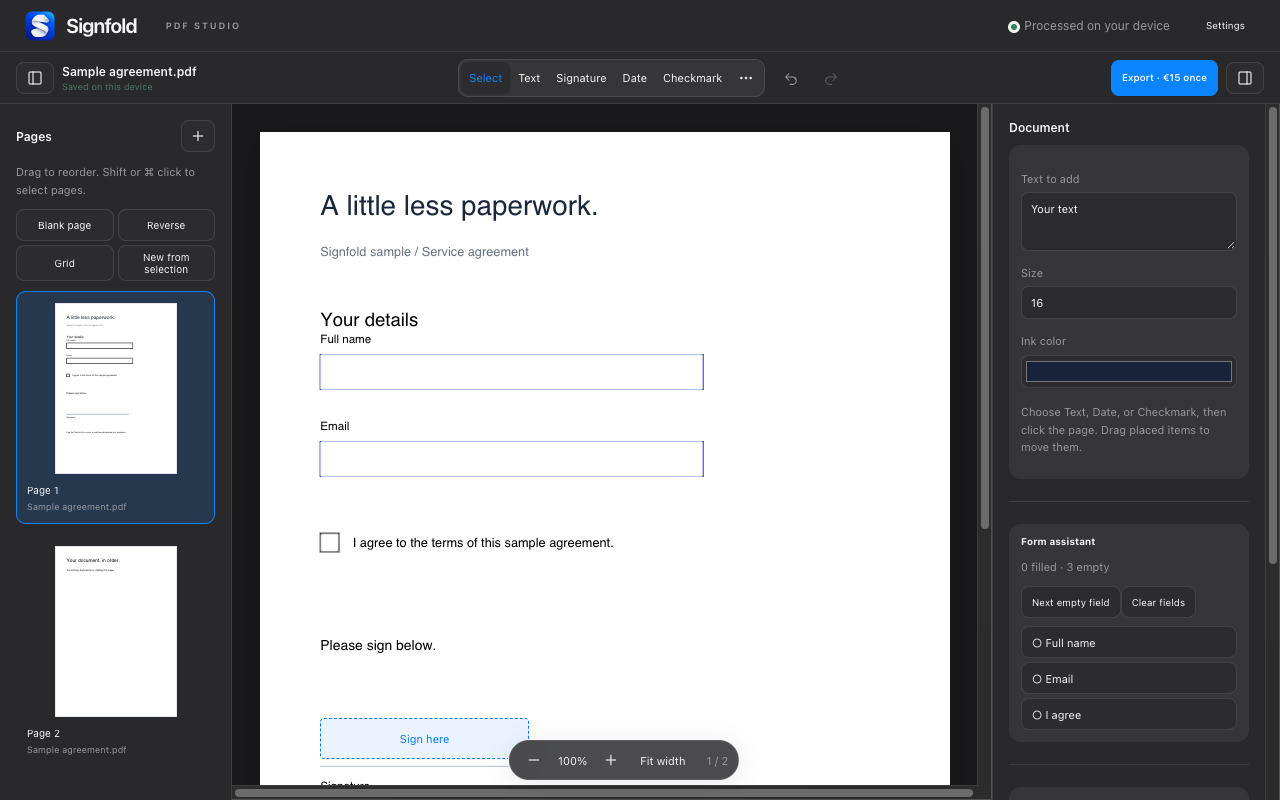
Pages in their place
One PDF, your order.
Open multiple files, drag pages into order, rotate a scan or remove a blank page. Create a document from selected pages.
With Pro, export all pages or a range. Flatten your finished copy or keep supported form fields editable.
How to arrange and export →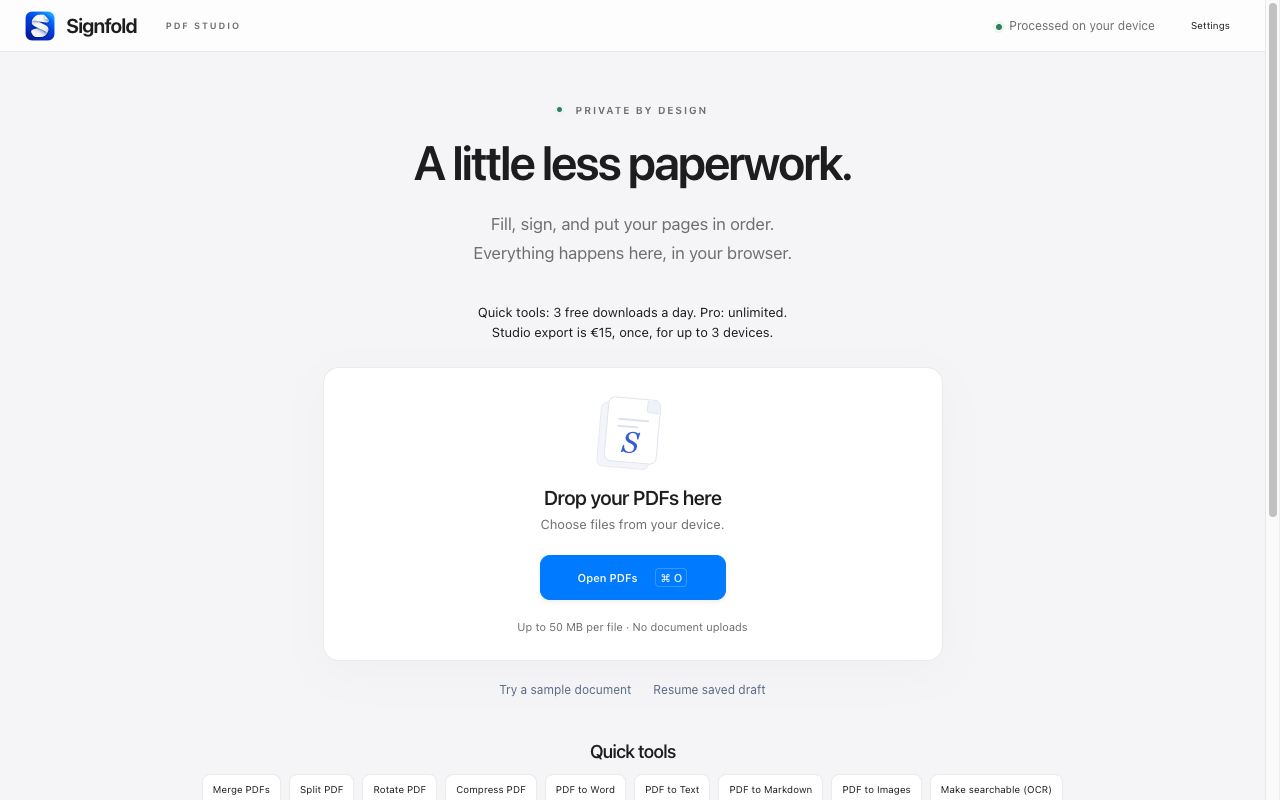
Signfold Pro
Make the final copy.
Try the studio for free. Studio export requires Pro; quick tools share three free downloads per local calendar day. Pro removes the daily quick-tool limit.
- Unlimited quick-tool downloads
- Studio export: all pages or a page range
- Flattened PDF or supported editable form fields
- Up to 3 devices; no subscription
- Up to 14 days offline after a verified license check
€15once
Including applicable tax.
Purchase through Stripe Managed Payments inside the extension.
A few things to know
Visible signatures
Signatures are visual marks, not certificate-based digital signatures. Editing a certificate-signed PDF can invalidate its existing signatures.
Keep sensitive originals safe
Whiteout covers content visually; it is not secure redaction. Local encryption does not password-lock an unlocked browser profile.
File and text limits
Up to 50 MB per PDF, 100 MB of source data per session and 300 pages. Existing paragraph text cannot be edited in place. DOCX layouts may shift; scanned pages remain images unless you choose OCR. Password-protected PDFs need an unlocked copy.
Get going